
Set up in three steps
三步连上
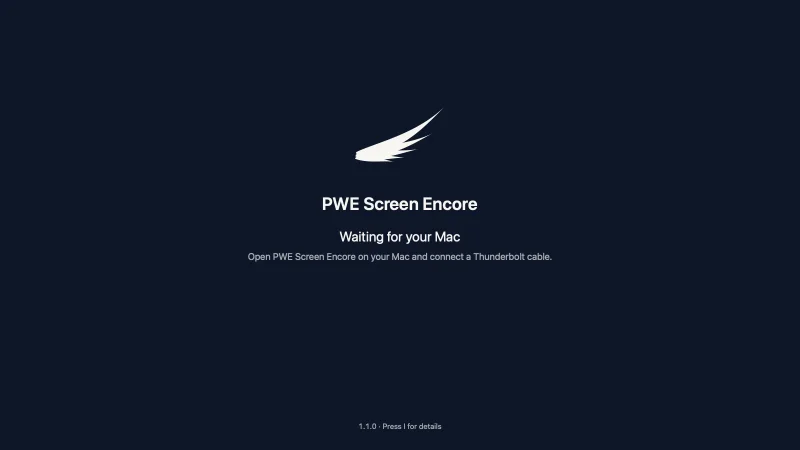
- Install PWE Screen Encore on your Mac. The first time, allow Screen Recording when it asks.
- Install PWE Screen Encore Receiver on the iMac, and open it.
- Connect the two with a Thunderbolt cable, and click Use as Display when the iMac appears.
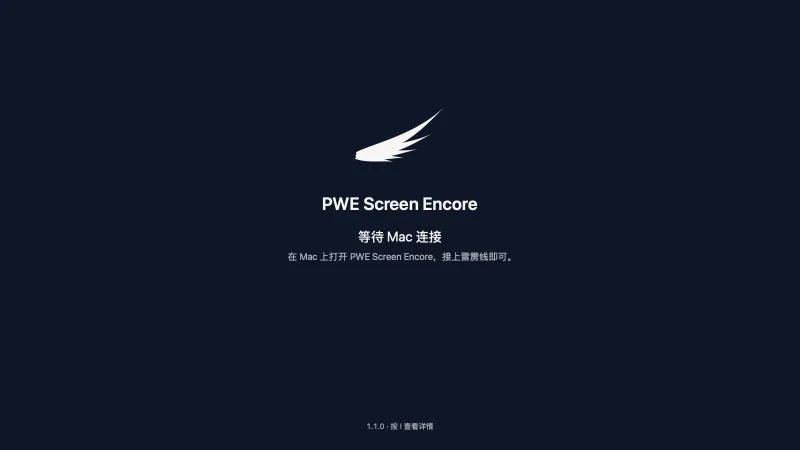
- 在 Mac 上装 PWE Screen Encore。第一次打开时,按提示允许「录屏」。
- 在 iMac 上装 PWE Screen Encore Receiver,并打开它。
- 用雷雳线连接两台电脑,iMac 出现后点「用作显示器」。
Thunderbolt 3, 4 or 5 cables all work; a passive cable under 1 m is the most stable. A 2014 or 2015 iMac also needs Apple's Thunderbolt 3 (USB-C) to Thunderbolt 2 Adapter. An ordinary USB-C to Mini DisplayPort adapter will not work: it carries a picture signal, not Thunderbolt data.
雷雳 3、4、5 的线都可以,1 米以内的无源线最稳。2014、2015 款 iMac 还需要 Apple 的「雷雳 3(USB-C)转雷雳 2 转换器」。普通的 USB-C 转 Mini DisplayPort 转换器不行:它只传画面信号,不传雷雳数据。


5120 × 2880, the iMac's own resolution
5120 × 2880,iMac 自己的分辨率
Your Mac drives the iMac at its full 5120 × 2880 and sends the picture as compressed video. On the iMac tested so far, a 27-inch from 2017, it runs at real 5K, 5120 × 2880. Extend your desktop onto it, or mirror it, as with any display.
Mac 按 iMac 的完整 5120 × 2880 输出,画面以压缩视频传过去。在目前测过的那台 2017 款 27 吋 iMac 上,是真 5K(5120 × 2880)。可以扩展显示,也可以镜像显示,和任何一块显示器一样。


Picture and sound, from the menu bar
画面和声音,都在菜单栏里
Brightness, picture and sound sit in one menu. The sound can play only on the iMac's speakers, on both, or only on your Mac. Turn on the brightness-keys setting, and F1 and F2 set the iMac's brightness while the pointer is on it.
亮度、画面、声音都在同一个菜单里。声音可以只在 iMac 的扬声器播放、两边都播放,或只在你的 Mac 上播放。在设置里打开「用亮度键调 iMac」,指针在 iMac 上时,F1、F2 调的就是 iMac 的亮度。


The iMac stays a Mac
iMac 还是那台 Mac
The iMac keeps its own macOS, 11 or later, and needs nothing but the Receiver app. Once connected, your Mac remembers it: unplug the cable or let your Mac sleep, and they reconnect when they meet again.
iMac 继续跑它自己的 macOS(11 或更新),只需要装一个 Receiver。连上一次之后,你的 Mac 会记住它:拔掉线,或者让 Mac 睡眠,再碰上时它们会自己重新连上。


What it will not pretend to do
它不会假装能做的事
It is not Target Display Mode
它不是「目标显示器模式」
It is software streaming: your Mac encodes the picture, sends it over the cable, and the iMac decodes it. That adds encoding latency, and the end-to-end latency has not been measured yet. It is not recommended for competitive games.
它是软件串流:Mac 把画面编码,经线缆发出,iMac 再解码。这会带来编码延迟,端到端延迟还没有测过。不建议用来玩竞技类游戏。
Touch Bar brightness stays on the Mac
触控栏的亮度只调这台 Mac
On a Mac with a Touch Bar, its brightness buttons do not control the iMac. Hold fn and press F1 or F2 instead.
有触控栏的 Mac,触控栏上的亮度按钮调不了 iMac。请按住 fn,再按 F1 或 F2。
Keyboard and mouse sharing is experimental
键鼠共享是实验功能
Keyboard and mouse can be shared either way — your Mac's to work the iMac, or the iMac's to work your Mac — but treat it as an experiment. It needs Accessibility and Input Monitoring on the computer whose keyboard and mouse are shared.
键盘鼠标可以双向共享:用 Mac 的操作 iMac,或用 iMac 的操作 Mac。请把它当作实验功能。共享哪台电脑的键鼠,就要在哪台电脑上允许「辅助功能」和「输入监控」。
Cable first
先用线
The default is the Thunderbolt cable only. Connecting over the network or Wi-Fi is experimental and off by default.
默认只走雷雳线。通过网络或 Wi-Fi 连接是实验功能,默认关闭。
For 27-inch 5K iMacs from 2014 to 2020. Fully tested on the 2017 model (iMac18,3, macOS 13.7.8); the other years should work by design and we're collecting results from more models. 2014 and mid-2015 models may need a lower picture setting. If you run into a problem on your iMac, open an issue on GitHub with its model and macOS version.
适用 2014–2020 年的 27 吋 5K iMac。我们在 2017 款(iMac18,3,macOS 13.7.8)上完整测过;其他年份按设计和代码应当可用,还在收集更多机型的测试结果。2014 年和 2015 年年中的机型可能需要用较低的画面档位。如果在你的 iMac 上遇到问题,请到 GitHub 开一个 issue,写明 iMac 的型号和 macOS 版本。
Which 27-inch 5K iMac
哪些 27 吋 5K iMac
| Year | Model | Status | Latest macOS |
|---|---|---|---|
| Late 2014 | iMac15,1 | May need a lower picture setting | 11 Big Sur |
| Mid 2015 | iMac15,1 | May need a lower picture setting | 11 Big Sur |
| Late 2015 | iMac17,1 | Should work by design, untested | 12 Monterey |
| 2017 | iMac18,3 | Fully tested (macOS 13.7.8) | 13 Ventura |
| 2019 | iMac19,1 | Should work by design, untested | 15 Sequoia |
| 2020 | iMac20,1, iMac20,2 | Should work by design, untested | 26 Tahoe |
| 年份 | 型号 | 状态 | 最高 macOS |
|---|---|---|---|
| 2014 年末 | iMac15,1 | 可能要降画面档位 | 11 Big Sur |
| 2015 年年中 | iMac15,1 | 可能要降画面档位 | 11 Big Sur |
| 2015 年末 | iMac17,1 | 按设计应可用、未测 | 12 Monterey |
| 2017 | iMac18,3 | 完整测过(macOS 13.7.8) | 13 Ventura |
| 2019 | iMac19,1 | 按设计应可用、未测 | 15 Sequoia |
| 2020 | iMac20,1, iMac20,2 | 按设计应可用、未测 | 26 Tahoe |
The iMac needs macOS 11 or later, so a 2014 or mid-2015 iMac runs Big Sur, its last version. 2014 and 2015 models also need Apple's Thunderbolt 3 (USB-C) to Thunderbolt 2 Adapter.
iMac 需要 macOS 11 或更新,所以 2014 年和 2015 年年中的 iMac 要装 Big Sur,也就是它能装的最后一版。2014、2015 款还需要 Apple 的「雷雳 3(USB-C)转雷雳 2 转换器」。
21.5-inch 4K iMac: not tested yet, so we don't promise it; we're looking for owners to help test.
21.5 吋 4K iMac:还没有人测过,暂不承诺;我们在找机主帮忙测试。
Your data
你的数据
No account and no analytics. The picture and sound go from your Mac to the iMac over the cable. The one request it can make is an update check, off until you say yes, and it sends three things: the product, its version and your macOS version.
无账号,不收集统计。画面和声音经雷雳线从你的 Mac 送到 iMac。它唯一可能发出的请求是更新检查,你同意之前不会打开,而且只发三样:哪个产品、哪个版本、哪个 macOS。
Your Mac asks for Screen Recording (called Screen & System Audio Recording on macOS 15 and later), to capture the picture it sends. On the Mac, Accessibility is needed only for the iMac brightness keys, and Input Monitoring only when the Mac's keyboard and mouse control the iMac. The iMac asks for Accessibility and Input Monitoring only for keyboard and mouse sharing.
Mac 上需要允许「屏幕录制」(macOS 15 起叫「录屏与系统录音」),用来采集要发送的画面。用亮度键调 iMac 时,Mac 还要「辅助功能」;用 Mac 的键鼠操作 iMac 时,还要「输入监控」。iMac 上只有在用键鼠共享时,才需要「辅助功能」和「输入监控」。
Free, and open
免费,开源
Based on the open-source project TargetBridge (by Marco Caciotti and the community, MIT licence); not an official TargetBridge release.
基于开源项目 TargetBridge(Marco Caciotti 与社区,MIT 许可);不是 TargetBridge 的官方版本。
PWE Screen Encore is free, with every feature for everyone, and its source is on GitHub under the MIT licence. We send fixes that help everyone back to TargetBridge.
PWE Screen Encore 免费,所有功能人人可用;源代码以 MIT 许可放在 GitHub 上。对大家都有用的修复,我们会提交回 TargetBridge。


Specs
规格
| Mac | macOS 14 or later. Apple silicon or Intel: one universal app. |
|---|---|
| iMac | 27-inch 5K iMac, 2014–2020, macOS 11 or later. Fully tested on the 2017 model with macOS 13.7.8; the other years should work by design. 2014 and mid-2015 models may need a lower picture setting. |
| Cable | Thunderbolt 3, 4 or 5; a passive cable under 1 m is the most stable. A 2014 or 2015 iMac also needs Apple's Thunderbolt 3 (USB-C) to Thunderbolt 2 Adapter. Ordinary USB-C to Mini DisplayPort adapters do not work. |
| Connection | Cable only by default. Network and Wi-Fi: experimental, off by default. |
| Tested | An iMac18,3 (27-inch, 2017, macOS 13.7.8) with a MacBook Pro M1: real 5K (5120 × 2880), sound on the iMac, the iMac's keyboard and mouse controlling the Mac, reconnecting after unplugging and after sleep. |
| Permissions | Mac: Screen Recording; Accessibility only for the iMac brightness keys; Input Monitoring only when the Mac's keyboard and mouse control the iMac. iMac: Accessibility and Input Monitoring, only for keyboard and mouse sharing. If the iMac asks to find devices on your local network, click Allow. |
| Version | 1.1.0, coming late October. |
| Price | Free. MIT licence; the source is on GitHub. |
| Mac | macOS 14 或更新。Apple 芯片或 Intel:同一个通用 App。 |
|---|---|
| iMac | 2014–2020 年的 27 吋 5K iMac,macOS 11 或更新。在 2017 款、macOS 13.7.8 上完整测过;其他年份按设计应当可用。2014 年和 2015 年年中的机型可能需要用较低的画面档位。 |
| 线 | 雷雳 3、4 或 5;1 米以内的无源线最稳。2014、2015 款 iMac 还需要 Apple 的「雷雳 3(USB-C)转雷雳 2 转换器」。普通的 USB-C 转 Mini DisplayPort 转换器不行。 |
| 连接方式 | 默认只走线。网络和 Wi-Fi:实验功能,默认关闭。 |
| 实测 | 一台 iMac18,3(27 吋,2017 款,macOS 13.7.8),配 MacBook Pro M1:真 5K(5120 × 2880),声音从 iMac 播放,iMac 的键盘鼠标操作 Mac,拔线和睡眠后重新连上。 |
| 权限 | Mac:「屏幕录制」;用亮度键调 iMac 时还要「辅助功能」;用 Mac 的键鼠操作 iMac 时还要「输入监控」。iMac:只有用键鼠共享时才要「辅助功能」和「输入监控」。如果 iMac 问是否允许查找本地网络上的设备,点「允许」。 |
| 版本 | 1.1.0,10 月底推出。 |
| 价格 | 免费。MIT 许可,源代码在 GitHub 上。 |
Latest
最近更新
No release yet.
还没有发布。