

Scan it, share it, or open it
扫描、分享、直接打开,都可以
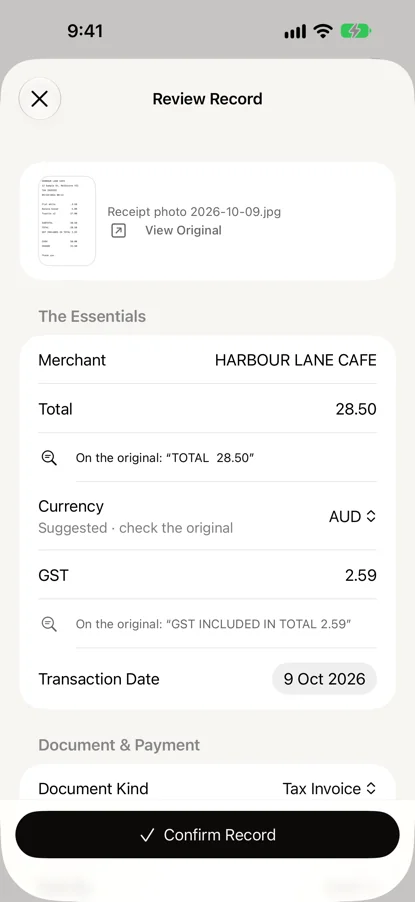
Scan with the camera, choose a photo or a screenshot, import a PDF, or share a receipt to the app from Mail, Files or Photos. A scan of several pages can be one document, or a receipt per page.
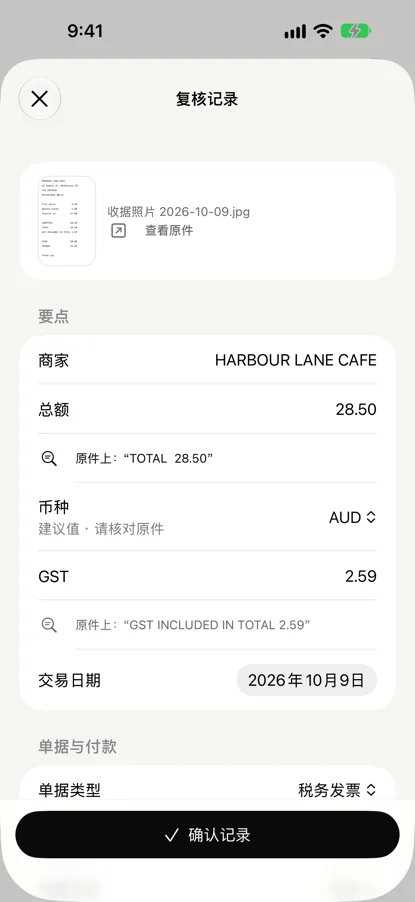
用相机扫描,选一张照片或截图,导入 PDF,或者从「邮件」「文件」「照片」把收据分享过来。多页扫描可以算作一份单据,也可以一页一张收据。
The original is saved first. Then the merchant, date, total, GST, payment and item lines are read on the device, and each value is shown beside the printed line it came from.
先保存原件,再在设备上识别商家、日期、总额、GST、付款方式和条目。每一项旁边,都标着它读自原件上的哪一行。
Nothing counts until you confirm it
你确认之前,什么都不算数
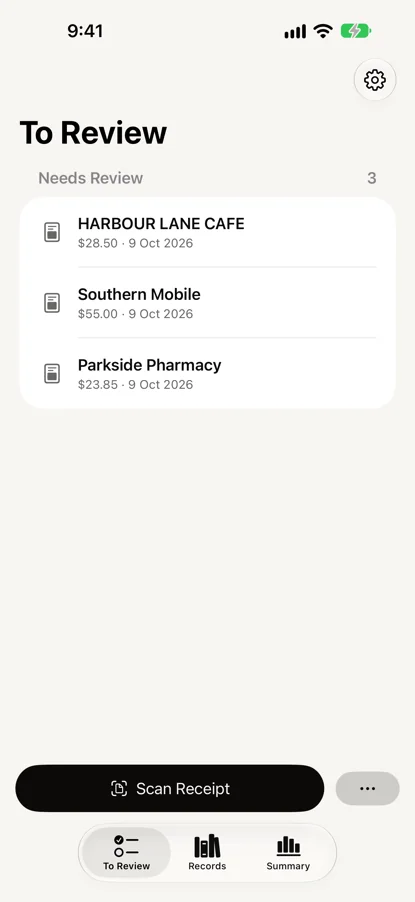
Every value waits for your check. When two readings disagree, the app says so instead of choosing one. Receipt or invoice, paid, unpaid or refunded, and how it was paid are kept apart. GST is only ever the amount printed on the document or typed by you, never worked out from the total.
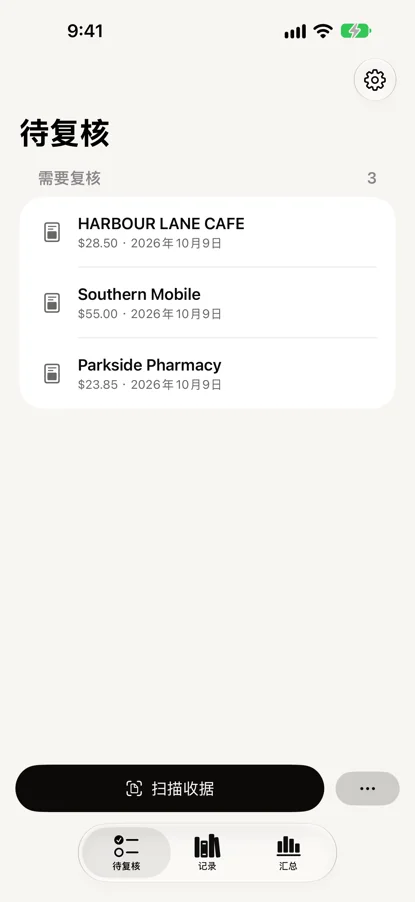
每一项都等你核对。两次识别结果不一致时,app 会直接告诉你,不替你挑。收据还是发票,已付、未付还是已退款,怎么付的,都分开记。GST 只取原件上印着的金额,或你自己输入的金额,从不按总额推算。
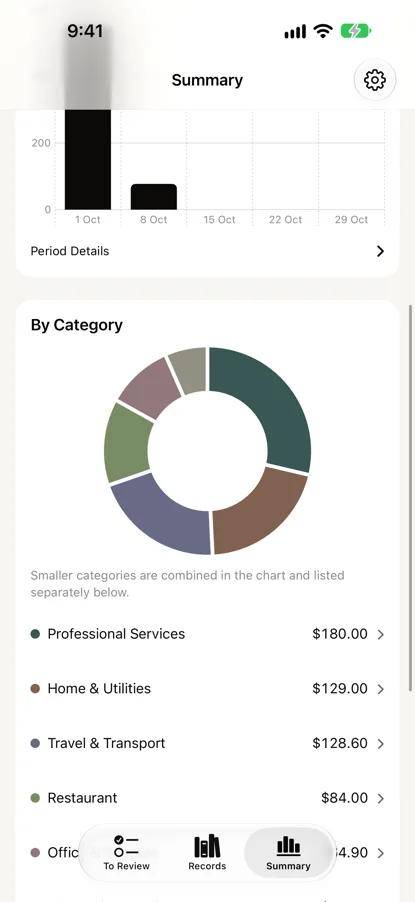
Confirmed records can be searched, with categories if you want them. The Summary shows confirmed, paid spending by period and category, one currency at a time.
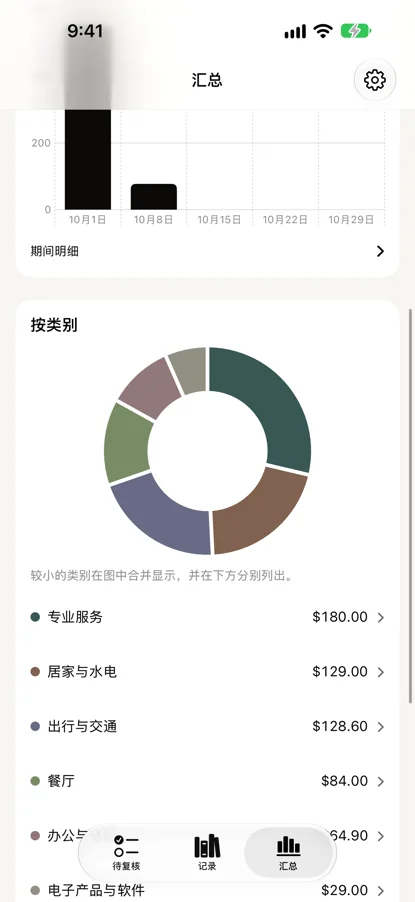
确认过的记录可以搜索,想分类也可以分类。「汇总」按期间和分类列出已确认、已付款的支出,一次只看一种币种。
An export your accountant can open
导出的文件,会计直接能打开
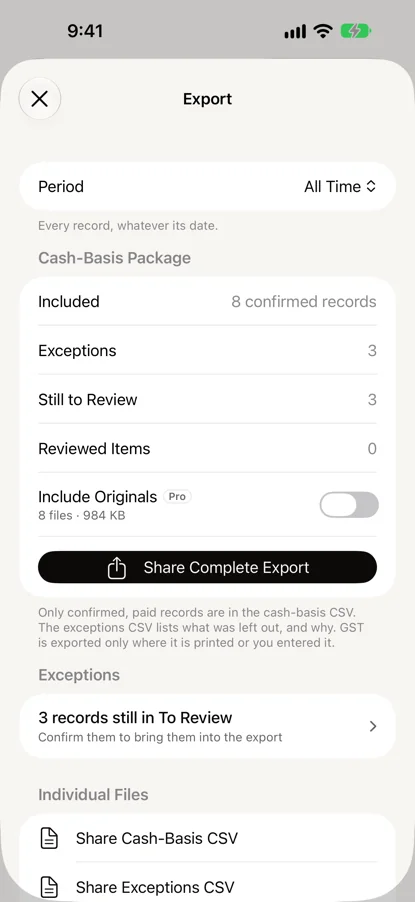
Choose a month, a quarter, a financial year or your own range. The export is a cash-basis CSV, an exceptions CSV that lists what was left out and why, and a manifest. Nothing goes into it until you have confirmed it.
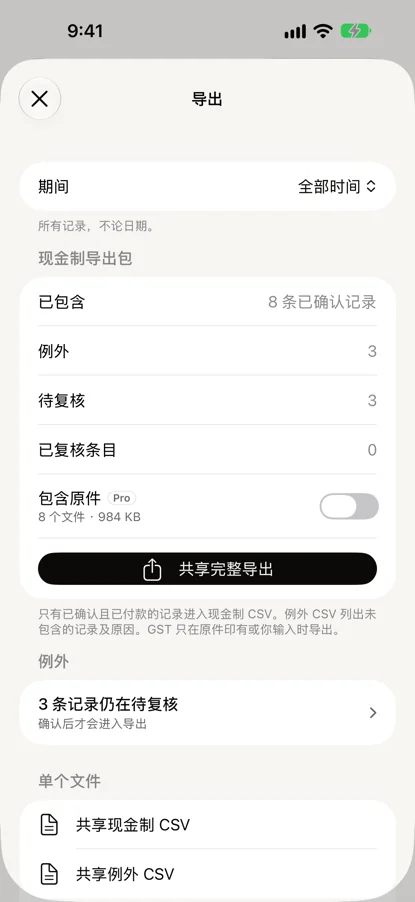
选一个月、一个季度、一个财年,或者自己定起止日期。导出的是一份现金制 CSV、一份例外 CSV(列明哪些没有算进去、为什么),再加一份清单。没确认过的,一条也不会进去。
An archive keeps every record and original in one file, to restore on a new device.
存档把所有记录和原件放进一个文件,换了新设备也能恢复。
What your accountant receives
会计收到的是什么
One row per confirmed, paid record in pwe-receipts-cash-basis.csv, for the period you choose. Dates are yyyy-MM-dd; amounts and GST are plain numbers. tax_status says whether GST was printed on the document, typed in, or not shown — not shown is not the same as GST-free. The column names are the same in English and Chinese. The two rows below are invented.
pwe-receipts-cash-basis.csv 里,所选期间每条已确认、已付款的记录占一行。日期是 yyyy-MM-dd;金额和 GST 是纯数字,不带 $。tax_status 说明 GST 是单据上印的、人填的,还是没印——没印不等于免 GST。中英文 App 导出的列名一样,都是英文。下面两行是编的示例。
record_id,merchant_name,source_merchant_name,document_kind,payment_status,payment_method,transaction_date,amount,currency_code,tax_total,tax_status,primary_category,tags,original_filename,original_path,exclusion_reason,review_status,items_status,item_count
6F1C2A90-3B7D-4E2A-9C41-0D5E8B7A1F20,The Rusty Whisk,THE RUSTY WHISK,tax_invoice,paid,card,2026-04-27,119.30,AUD,10.85,printed,food_and_drink.cafe_and_takeaway,,Receipt photo 2026-04-27.jpg,originals/6F1C2A90-3B7D-4E2A-9C41-0D5E8B7A1F20.jpg,,confirmed,confirmed,6
B84E0D17-5A62-4C9F-8E03-7712C4D9A6B5,Acme Stationery,ACME STATIONERY,tax_invoice,paid,bank_transfer,2026-10-20,64.90,AUD,5.90,printed,work.office_and_supplies,,Invoice INV-2041.pdf,,,confirmed,not_reviewed,
Every export also has pwe-receipts-exceptions.csv, listing what was left out and why, and a manifest.json. original_path is filled only in Pro's export with originals, where it points to the file in the same zip.
每次导出还会附上 pwe-receipts-exceptions.csv(没进现金制 CSV 的记录和原因)和 manifest.json。original_path 只在 Pro 的「含原件」导出里有值,指向同一个 zip 里的原件。
Not tested with Xero, MYOB or QuickBooks imports. It is a standard CSV your accountant can open in a spreadsheet.
没有在 Xero、MYOB 或 QuickBooks 里试过导入。这是一份标准 CSV,会计可以用表格软件打开。
PWE Receipts Pro
For more than 100 receipts a year
一年超过 100 张,就用 Pro
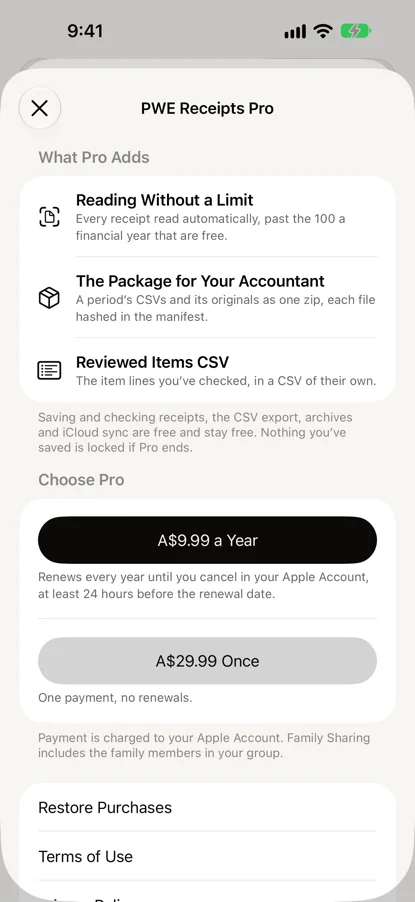
Free reads 100 receipts automatically each financial year. Past that, receipts are still saved and you can fill them in yourself. Pro reads every receipt, with no yearly limit.
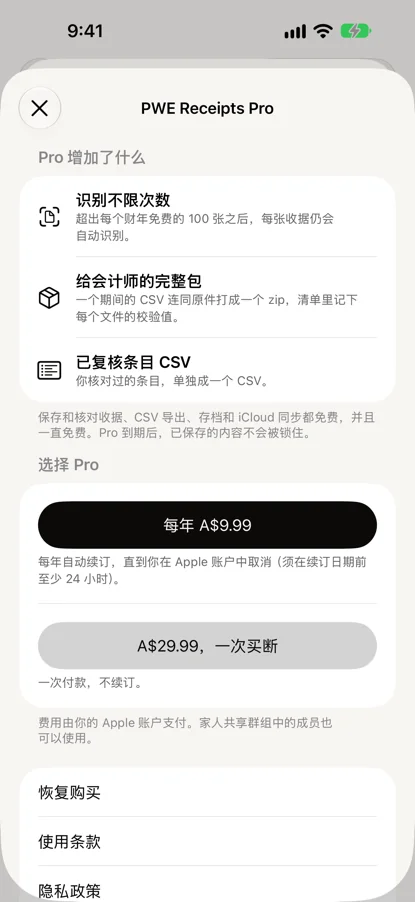
免费版每个财年自动识别 100 张收据。超出之后,收据照常保存,由你自己填写。Pro 每张都自动识别,没有每年的数量限制。
Pro also adds the package for your accountant, the export with its originals in one zip, each listed in the manifest with its checksum, and the reviewed-items CSV: the item lines you have confirmed, one row each. Nothing you have saved is locked if Pro ends.
Pro 还多两样:交给会计的完整资料包,把导出连同原件打成一个 zip,每个原件都在清单里附校验值;以及已复核条目 CSV,你确认过的每一行条目各占一行。Pro 到期后,你保存的一切都不会被锁住。
Free, with an optional Pro
免费,Pro 可选
Saving, checking, confirming, the CSV export, archives and iCloud sync are free, and stay free.
保存、核对、确认、CSV 导出、存档和 iCloud 同步都免费,以后也一直免费。
Everything you need to keep the records.
把记录管好,需要的都在这里。
- Automatic reading of 100 receipts each financial year
- 每个财年自动识别 100 张收据
- Saving, checking and confirming, with the original kept
- 保存、核对、确认,原件一直保留
- Search, and categories if you want them
- 搜索,以及可选的分类
- The Summary of confirmed, paid spending
- 已确认付款支出的汇总
- The cash-basis CSV, the exceptions CSV and the manifest
- 现金制 CSV、例外 CSV 和清单
- An archive of every record and original
- 所有记录和原件的存档
- iCloud sync between your devices
- 设备之间的 iCloud 同步
A year, or A$29.99 once. In Australia.
每年;或一次买断 A$29.99。限澳大利亚。
- Automatic reading of every receipt, with no yearly limit
- 每张收据都自动识别,没有每年的数量限制
- The package for your accountant: the export with its originals in one zip
- 交给会计的完整资料包:导出连同原件打成一个 zip
- The reviewed-items CSV
- 已复核条目 CSV
- Shared with your Family Sharing group
- 可与家人共享群组共用
The yearly Pro is an auto-renewing subscription, billed through your Apple Account. It renews unless cancelled at least 24 hours before the end of the current period. Manage or cancel it in your Apple Account settings. The one-time purchase does not renew.
按年的 Pro 为自动续订订阅,通过你的 Apple 账户扣费。除非在当前周期结束前至少 24 小时取消,否则会自动续订。可在 Apple 账户设置中管理或取消。一次买断不会续订。
What it will not pretend to do
它不会假装能做的事
Records, not advice
只做记录,不是建议
PWE Receipts keeps records. It does not give tax advice or lodge anything for you. Ask your accountant how your records should be treated.
PWE Receipts 只保存记录,不提供税务建议,也不替你申报任何东西。记录该怎么处理,请问你的会计。
Reading can be wrong
自动识别可能出错
That is why every value waits for your check, and why nothing is exported until you confirm it.
所以每一项都要等你核对,没确认的也不会被导出。
It does not choose for you
它不替你挑
When two readings disagree, the app says so instead of choosing one.
两次识别结果不一致时,app 会直接告诉你,不替你挑。
GST is never worked out
GST 从不推算
GST is only ever the amount printed on the document or the one you type. It is never worked out from the total.
GST 只取原件上印着的金额,或你输入的金额,绝不按总额推算。
Your data
你的数据
Receipts are read on your iPhone or iPad. There is no account and no sign-in, and your receipts never reach us.
收据在你的 iPhone 或 iPad 上识别。不用注册,不用登录,你的收据不会到我们这里。
Records and originals sync only through your own iCloud, between your own devices.
记录和原件只通过你自己的 iCloud,在你自己的设备之间同步。
Specs
规格
| Devices | iPhone and iPad, iOS 26 or later. |
|---|---|
| Version | 1.0.1, on the App Store since 2026-10-21. |
| Takes | Paper receipts through the camera, photos, screenshots and PDF invoices, shared from Mail, Files or Photos. |
| Reads | Merchant, date, total, GST, payment and item lines, on the device. Each value is shown beside the line it came from. |
| Exports | A cash-basis CSV, an exceptions CSV and a manifest. With Pro, also the reviewed-items CSV and the package with originals. |
| Sync | Your own iCloud, between your own devices. No account. |
| Languages | English and Simplified Chinese. |
| Price | Free. Pro: A$9.99 a year, or A$29.99 once, billed by Apple. |
| 设备 | iPhone 与 iPad,iOS 26 或更新。 |
|---|---|
| 版本 | 1.0.1,2026-10-21 起在 App Store 上。 |
| 收什么 | 相机拍的纸质收据、照片、截图、PDF 发票,也可以从「邮件」「文件」「照片」分享过来。 |
| 识别什么 | 商家、日期、总额、GST、付款方式和条目,在设备上识别。每一项旁边都标着它读自哪一行。 |
| 导出 | 现金制 CSV、例外 CSV 和清单。有 Pro 的话,还有已复核条目 CSV 和含原件的导出包。 |
| 同步 | 你自己的 iCloud,只在你自己的设备之间。不用注册。 |
| 语言 | 英文和简体中文。 |
| 价格 | 免费。Pro 每年 A$9.99,或一次买断 A$29.99,由 Apple 扣费。 |